Reticulum: A Network Stack for Censorship-Resistant Communications
- What is Reticulum?
- 1. Getting Started with Reticulum
- 2. Configuring Reticulum
- 3. Using Reticulum
- 4. Adding Interfaces
- 5. Applications Using Reticulum
- 6. Security & Privacy Features
- 7. Practical Use Cases
- 8. Further Exploration & Documentation
- Connections (Links to Other Notes)
- Tags
- Donations via
https://pub-53ed77d5544b46628691823c1795f2c7.r2.dev/Reticulum-Unstoppable-Network-Compressed.mp4
[@libretech_systems_darkleaf_]
What is Reticulum?
Reticulum is a cryptographic networking stack designed for resilient, decentralized, and censorship-resistant communication. Unlike the traditional internet, Reticulum enables fully independent digital communications over various physical mediums, such as radio, LoRa, serial links, and even TCP/IP.
The key advantages of Reticulum include:
- Decentralization – No reliance on centralized infrastructure.
- Encryption & Privacy – End-to-end encryption built-in.
- Resilience – Operates over unreliable and low-bandwidth links.
- Interoperability – Works over WiFi, LoRa, Bluetooth, and more.
- Ease of Use – Can run on minimal hardware, including Raspberry Pi and embedded devices.
Reticulum is ideal for off-grid, censorship-resistant communications, emergency preparedness, and secure messaging.
1. Getting Started with Reticulum
To quickly get started with Reticulum, follow the official guide:
Reticulum: Getting Started Fast
Step 1: Install Reticulum
On Linux (Debian/Ubuntu-based systems)
sudo apt update && sudo apt upgrade -y
sudo apt install -y python3-pip
pip3 install rns
On Raspberry Pi or ARM-based Systems
pip3 install rns
On Windows
Using Windows Subsystem for Linux (WSL) or Python:
pip install rns
On macOS
pip3 install rns
2. Configuring Reticulum
Once installed, Reticulum needs a configuration file. The default location is:
~/.config/reticulum/config.toml
To generate the default configuration:
rnsd
This creates a configuration file with default settings.
3. Using Reticulum
Starting the Reticulum Daemon
To run the Reticulum daemon (rnsd), use:
rnsd
This starts the network stack, allowing applications to communicate over Reticulum.
Testing Your Reticulum Node
Run the diagnostic tool to ensure your node is functioning:
rnstatus
This shows the status of all connected interfaces and peers.
4. Adding Interfaces
LoRa Interface (for Off-Grid Communications)
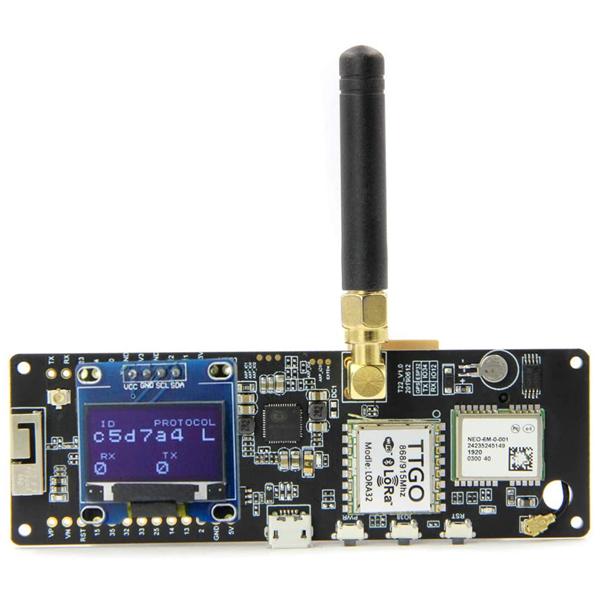
Reticulum supports long-range LoRa radios like the RAK Wireless and Meshtastic devices. To add a LoRa interface, edit config.toml and add:
[[interfaces]]
type = "LoRa"
name = "My_LoRa_Interface"
frequency = 868.0
bandwidth = 125
spreading_factor = 9
Restart Reticulum to apply the changes.
Serial (For Direct Device-to-Device Links)
For communication over serial links (e.g., between two Raspberry Pis):
[[interfaces]]
type = "Serial"
port = "/dev/ttyUSB0"
baudrate = 115200
TCP/IP (For Internet-Based Nodes)
If you want to bridge your Reticulum node over an existing IP network:
[[interfaces]]
type = "TCP"
listen = true
bind = "0.0.0.0"
port = 4242
5. Applications Using Reticulum
LXMF (LoRa Mesh Messaging Framework)
LXMF is a delay-tolerant, fully decentralized messaging system that operates over Reticulum. It allows encrypted, store-and-forward messaging without requiring an always-online server.
To install:
pip3 install lxmf
To start the LXMF node:
lxmfd
Nomad Network (Decentralized Chat & File Sharing)
Nomad is a Reticulum-based chat and file-sharing platform, ideal for off-grid communication.
To install:
pip3 install nomad-network
To run:
nomad
Mesh Networking with Meshtastic & Reticulum
Reticulum can work alongside Meshtastic for true decentralized long-range communication.
To set up a Meshtastic bridge:
[[interfaces]]
type = "LoRa"
port = "/dev/ttyUSB0"
baudrate = 115200
6. Security & Privacy Features
- Automatic End-to-End Encryption – Every message is encrypted by default.
- No Centralized Logging – Communication leaves no metadata traces.
- Self-Healing Routing – Designed to work in unstable or hostile environments.
7. Practical Use Cases
- Off-Grid Communication – Works in remote areas without cellular service.
- Censorship Resistance – Cannot be blocked by ISPs or governments.
- Emergency Networks – Enables resilient communication during disasters.
- Private P2P Networks – Create a secure, encrypted communication layer.
8. Further Exploration & Documentation
- Reticulum Official Manual: https://markqvist.github.io/Reticulum/manual/
- Reticulum GitHub Repository: https://github.com/markqvist/Reticulum
- Nomad Network: https://github.com/markqvist/NomadNet
- Meshtastic + Reticulum: https://meshtastic.org
Connections (Links to Other Notes)
- Mesh Networking for Decentralized Communication
- LoRa and Off-Grid Bitcoin Transactions
- Censorship-Resistant Communication Using Nostr & Reticulum
Tags
#Reticulum #DecentralizedComms #MeshNetworking #CensorshipResistance #LoRa
Donations via
- Bitcoin Lightning: lightninglayerhash@getalby.com


Write a comment